On-Premise, Private Cloud and Web: Profile ES, your way
Think of your business as two parts. A storefront faces your customers, for sales and customer service. A back office is where ordering, receiving, inventory, production, shipping and billing happen.
Profile ES keeps the back office at the office, on your own desktop client-server network, and gives you a storefront when you need one. Start with what you need today and add locations, remote staff, a web storefront or field teams as you grow.
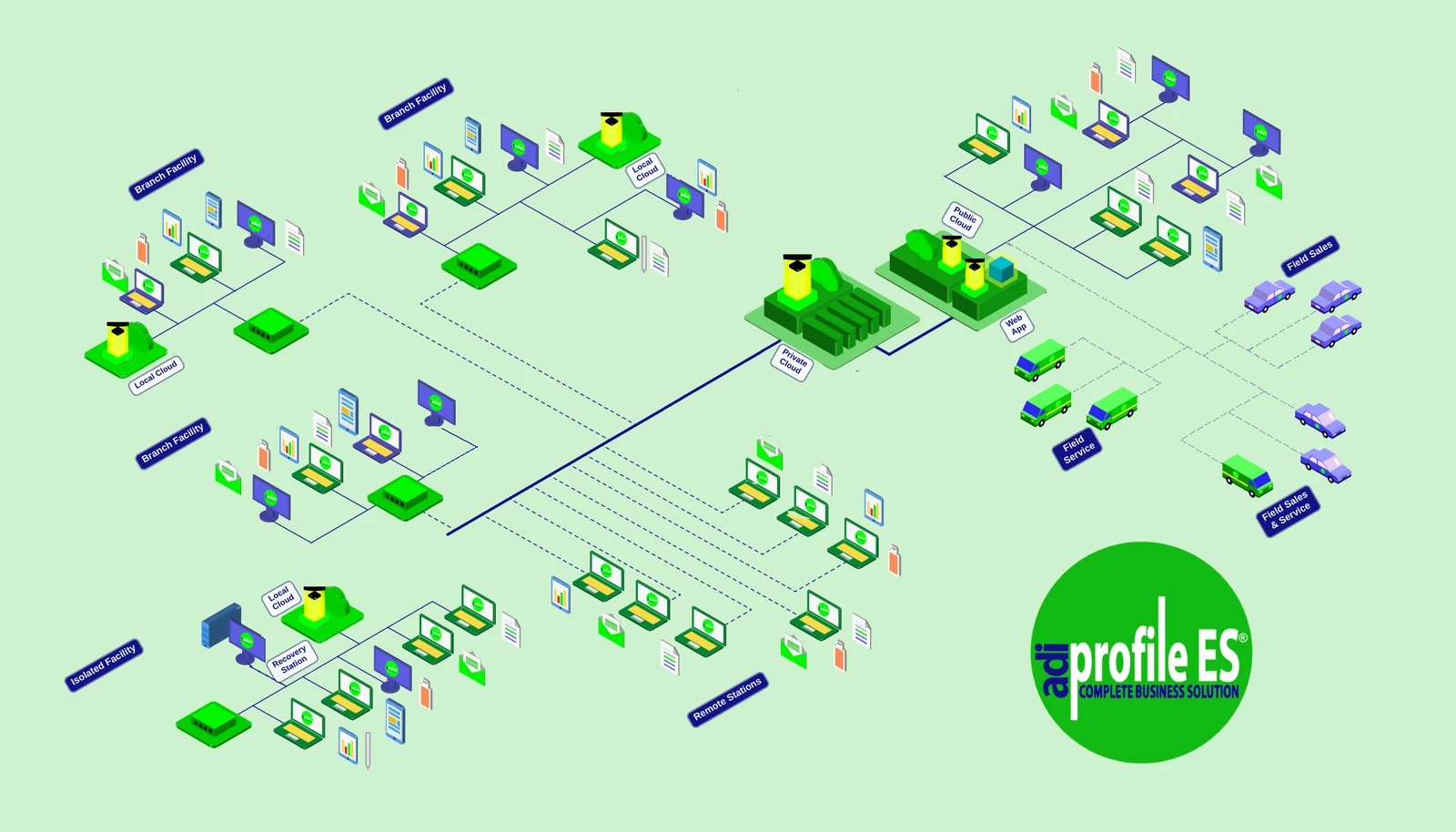
Every option on this page fits together in one system.
Why Desktop Client-Server
Profile ES is installed software that runs on your own network, on a server in your office, with ADI’s Private Cloud added when employees outside your office need to connect.
Fast on Your Own Network
Work runs over your local network, so screens, searches, inventory updates and reports respond right away.
Your Own Database
Your business data lives in its own open-source PostgreSQL database, on your own server or on ADI’s Private Cloud, with no proprietary lock-in.
Own It Instead of Renting It
There is no per-seat monthly subscription. You own your installation, so adding people does not add a monthly bill.
Start Simple, Grow as You Need
Ways to Set Up Profile ES
Each option builds on the one before it, and most businesses combine two or three. Select any picture to see it larger.
Your Back Office
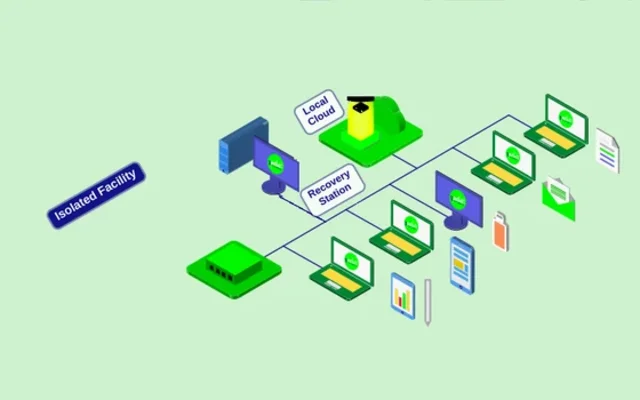
Isolated Facility
Everything stays in one building. Every workstation talks to your own Local Cloud server over your private network, with nothing on the internet. Your own IT staff or a local service provider can look after it, or ADI can service it remotely whenever a connection is available.
- Works fully offline
- A Recovery Station on site gets you back to work quickly
- A good fit for one shop with no IT staff
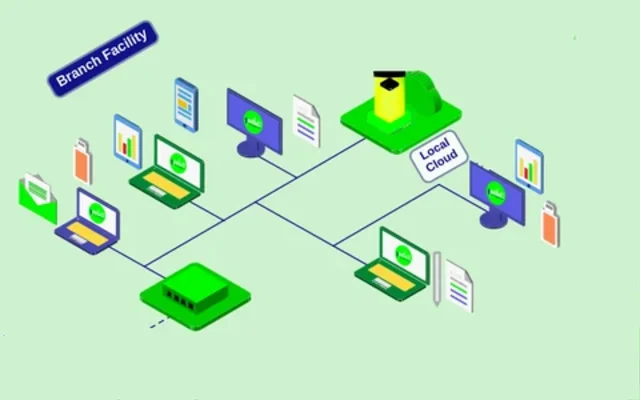
Branch Facilities
Each location runs its own Local Cloud at full speed, and every location stays in step through ADI’s Private Cloud.
- Same inventory, customers and books at every location
- Keeps running at full speed if the internet drops
- An off-site copy for backup and recovery
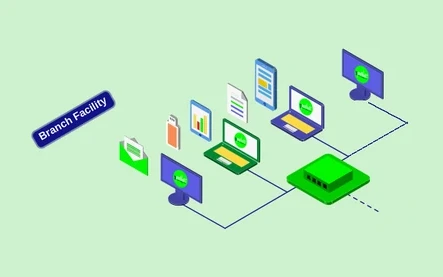
Satellite Office
A few desks and no server room. The office works straight from ADI’s Private Cloud, with nothing to maintain on site.
- No server hardware on site
- Same data as every other location
- Simple to open or move
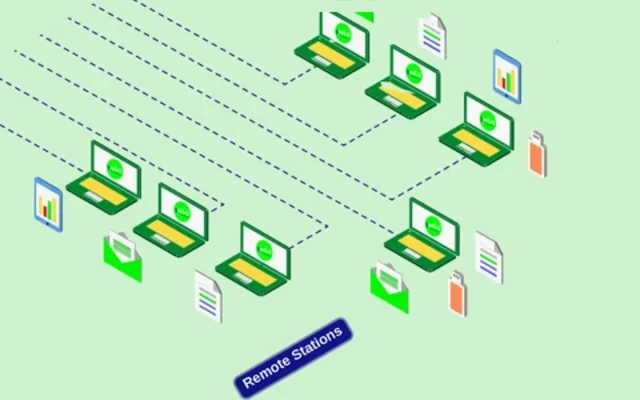
Remote Stations
The complete desktop client-server application, Profile ES, on a laptop, connected through the user's internet service to ADI’s Private Cloud on a secure data stream.
- The full software, not a cut-down portal
- Each station has its own secure connection
- Role-based access for each person
Why a Local Cloud?
Production keeps moving even when the internet doesn’t. Your Local Cloud works from your location’s latest activity and the most recent information it received from ADI’s Private Cloud, then catches up automatically when the connection returns.
For power interruptions, we recommend a battery backup (UPS) for the Local Cloud server. We can suggest, supply or install one. It is an optional added cost, and it needs periodic testing by your team or a local service provider.
Your Storefront and Field Teams
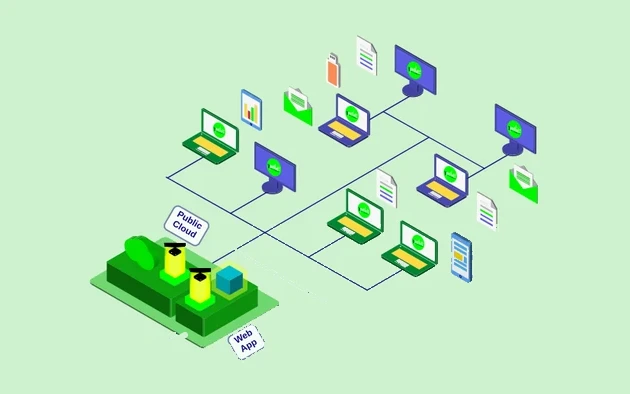
Storefront: Your Web App
Customers order online, check order status and look up pricing through a Web App on your own domain. It works from a limited set of data, never the back office. Web services build on ADI’s Private Cloud and use a separate public-facing copy of your data, so your main database is never directly connected to the web.
- Your own site, not a shared portal
- Online orders flow into Profile ES
- Only the data you choose to publish
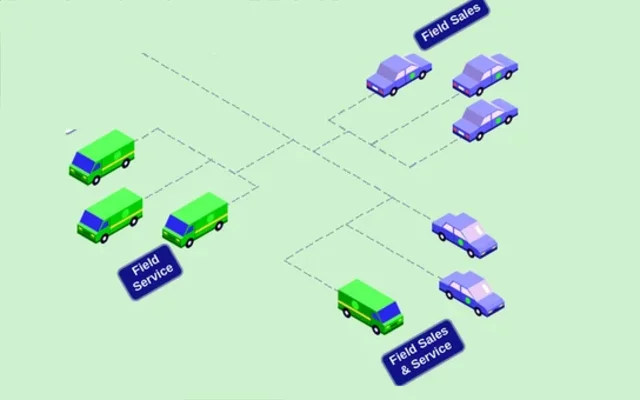
Field Teams
Service techs receive jobs on their tablet and log notes, photos and payments on site. Sales reps check pricing and stock and place orders from their phone.
- Jobs dispatched from the office to the tablet
- Receipts emailed from the job site
- Orders flow straight into Fulfillment
Manufacturers and Their Reps
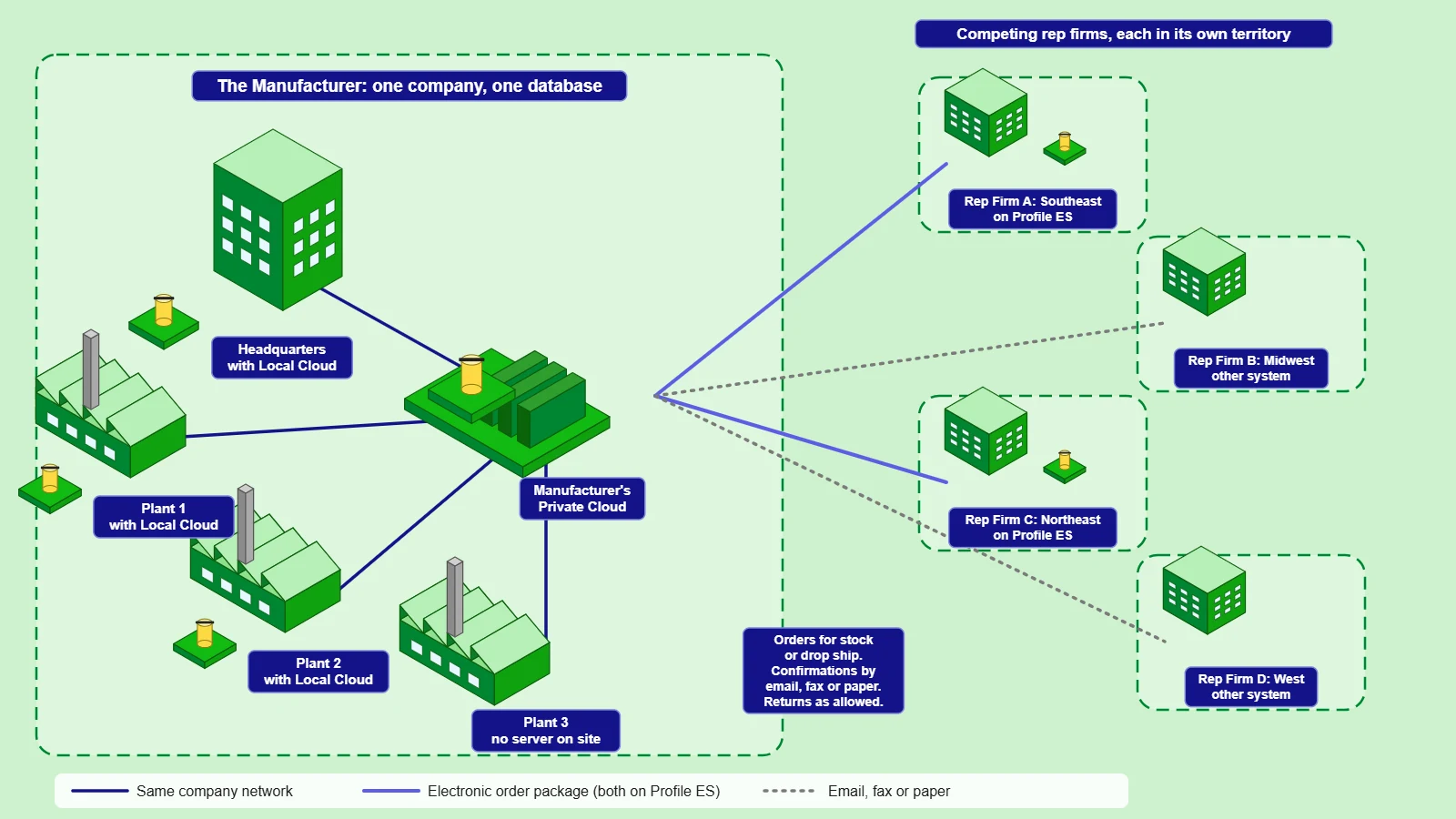
The Manufacturer's View
A manufacturer runs Profile ES on one database across its headquarters and plants. Its independent rep firms compete with one another, and each works the territory the manufacturer assigns. Every rep firm keeps its own separate database and its own channel to the manufacturer, so no rep firm sees another's orders or customers.
- When both run Profile ES, orders arrive as electronic packages
- Otherwise, orders come by email, fax or paper
- Confirmations go back by email, fax or paper
- Orders for inventory or drop ship, returns as the manufacturer allows
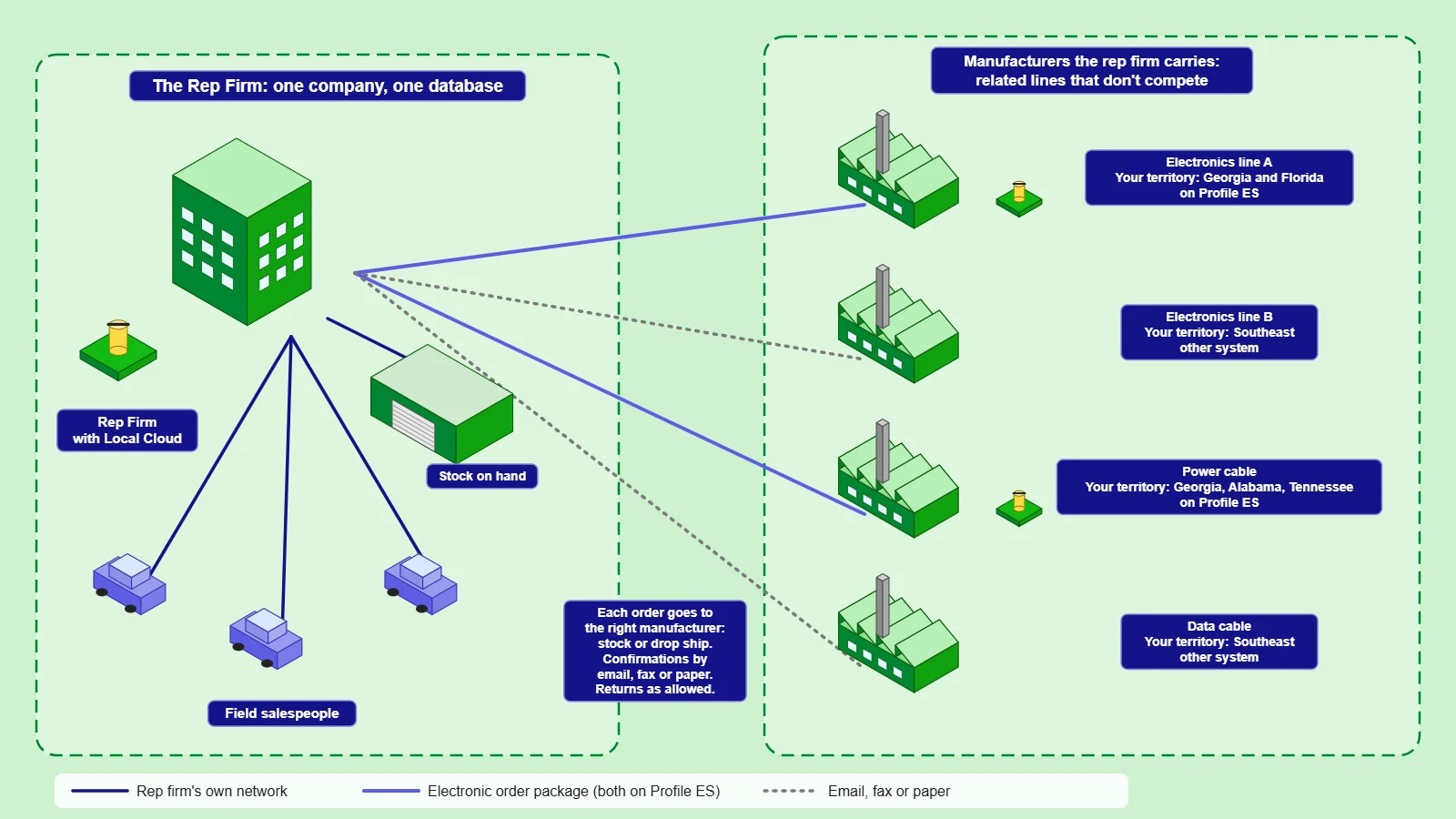
The Rep Firm's View
A rep firm carries several manufacturers with related lines that don't compete, such as electronics and power and data cable. Each manufacturer assigns the rep firm its own territory. The rep firm's field salespeople write their orders in Profile ES, and each order goes to the right manufacturer.
- Some rep firms stock and distribute, others pass orders through for drop ship, under each manufacturer's agreement
- Electronic order packages when the manufacturer also runs Profile ES
- Email, fax or paper for every other manufacturer
- Returns sent back as each manufacturer allows